Frequently Asked Questions
Product Information & Workflow Studio Overview
What is Itential Workflow Studio?
Itential Workflow Studio is a low-code visual canvas for building orchestration workflows that coordinate changes across network, cloud, security, and IT systems. It provides built-in governance, validation, and rollback, enabling teams to automate both simple and complex processes with full auditability. Learn more.
How does Workflow Studio orchestrate operations across infrastructure?
Workflow Studio lets you build governed workflows that connect IT systems, agents, apps, cloud, and network infrastructure. It enforces policy, captures step-by-step proof for audit and rollback, and enables both daily changes and complex multi-step processes to be automated end-to-end.
What are the main capabilities of Itential Workflow Studio?
Key capabilities include a unified orchestration layer, low-code visual builder, support for high-code extensions (Python/Ansible/Terraform), agent and app-driven operations, pre- and post-change validation, built-in rollback, multi-system orchestration, reusable assets and templates, self-service publishing, and enterprise governance with policy, approvals, and audit by default.
How does Workflow Studio differ from running Ansible or Terraform directly?
Workflow Studio orchestrates Ansible, Terraform, Python scripts, and APIs together in one governed workflow. It provides pre/post validation, approval gates, cross-system coordination, and full audit trails—capabilities that standalone IaC tools do not offer.
How is Workflow Studio different from ServiceNow workflows?
ServiceNow manages tickets, approvals, and process flows, while Workflow Studio executes the actual infrastructure changes—such as pushing configs, provisioning resources, and updating devices—with technical validation and compliance evidence. They complement each other: ServiceNow handles the “what and why,” Workflow Studio handles the “how.” Learn more.
Can I use my existing automations in Workflow Studio?
Yes, you can reuse existing Ansible playbooks, Terraform plans, Python scripts, and API calls inside Workflow Studio’s workflows. There is no need to rebuild; you can orchestrate what you already have. Learn more.
What happens if a workflow fails mid-execution?
Workflow Studio includes built-in rollback capabilities, error handling, and recovery procedures. You can configure checkpoints, automatic rollback on failure, or manual intervention points to ensure safe execution and recovery.
How do FlowAI agents interact with Workflow Studio?
FlowAI agents can trigger workflows via natural language prompts or autonomous reasoning, suggest next workflow steps, embed mid-workflow for log analysis or config generation, and detect anomalies. Workflow Studio maintains governance and audit trails throughout these interactions. Learn more.
Can workflows span multiple domains like network, cloud, and security?
Yes. Workflow Studio is built for cross-domain orchestration. A single workflow can update firewall rules, provision cloud resources, configure network devices, and update ITSM tickets, with validation at each step. Learn more.
How do teams collaborate on building workflows?
Projects provide a centralized hub where teams can share workflows, templates, and integrations with version control, folder hierarchies, and role-based permissions for collaborative automation at scale. Learn more.
What is the Workflow Builder in Itential's Design Studio?
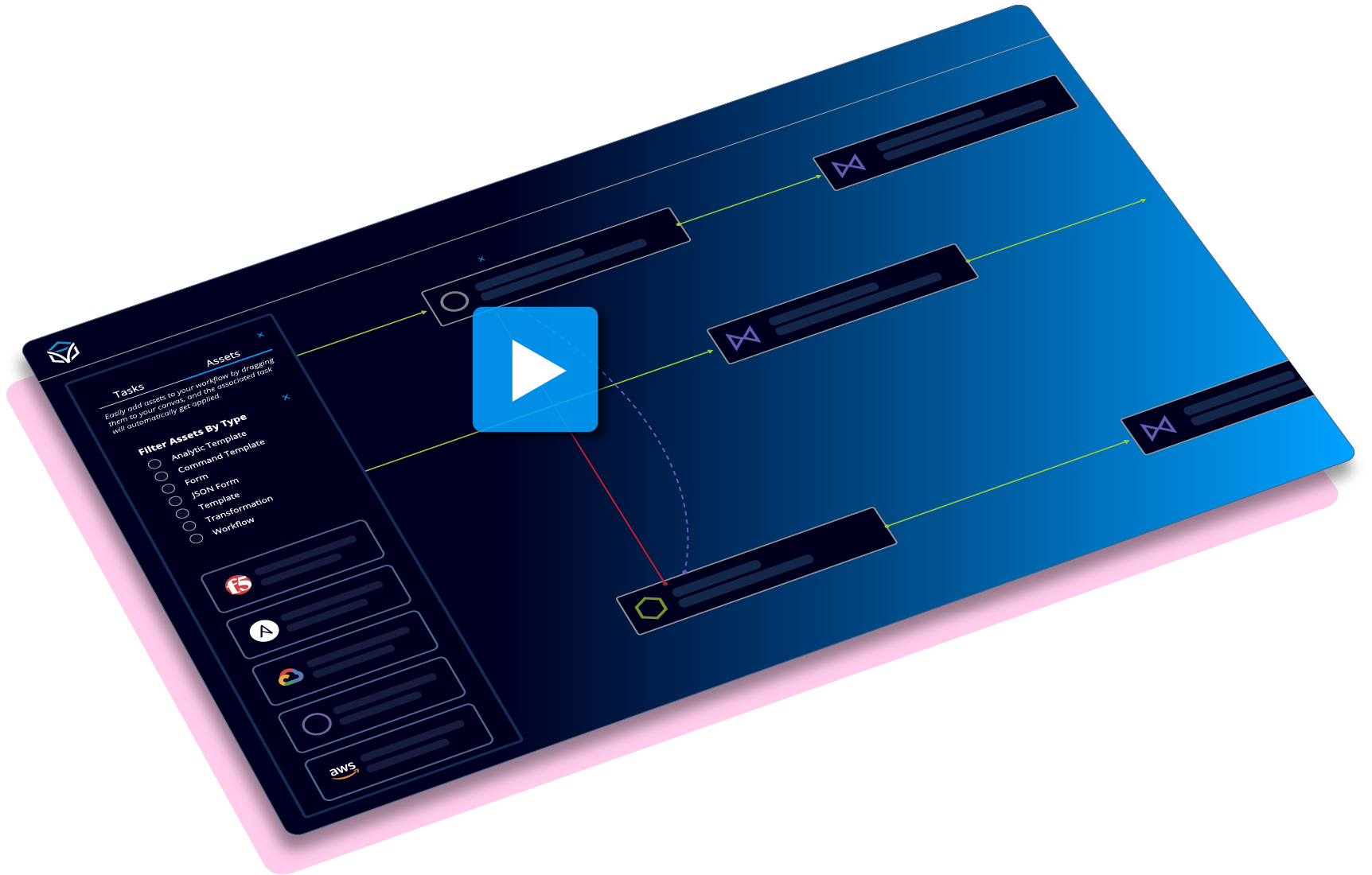
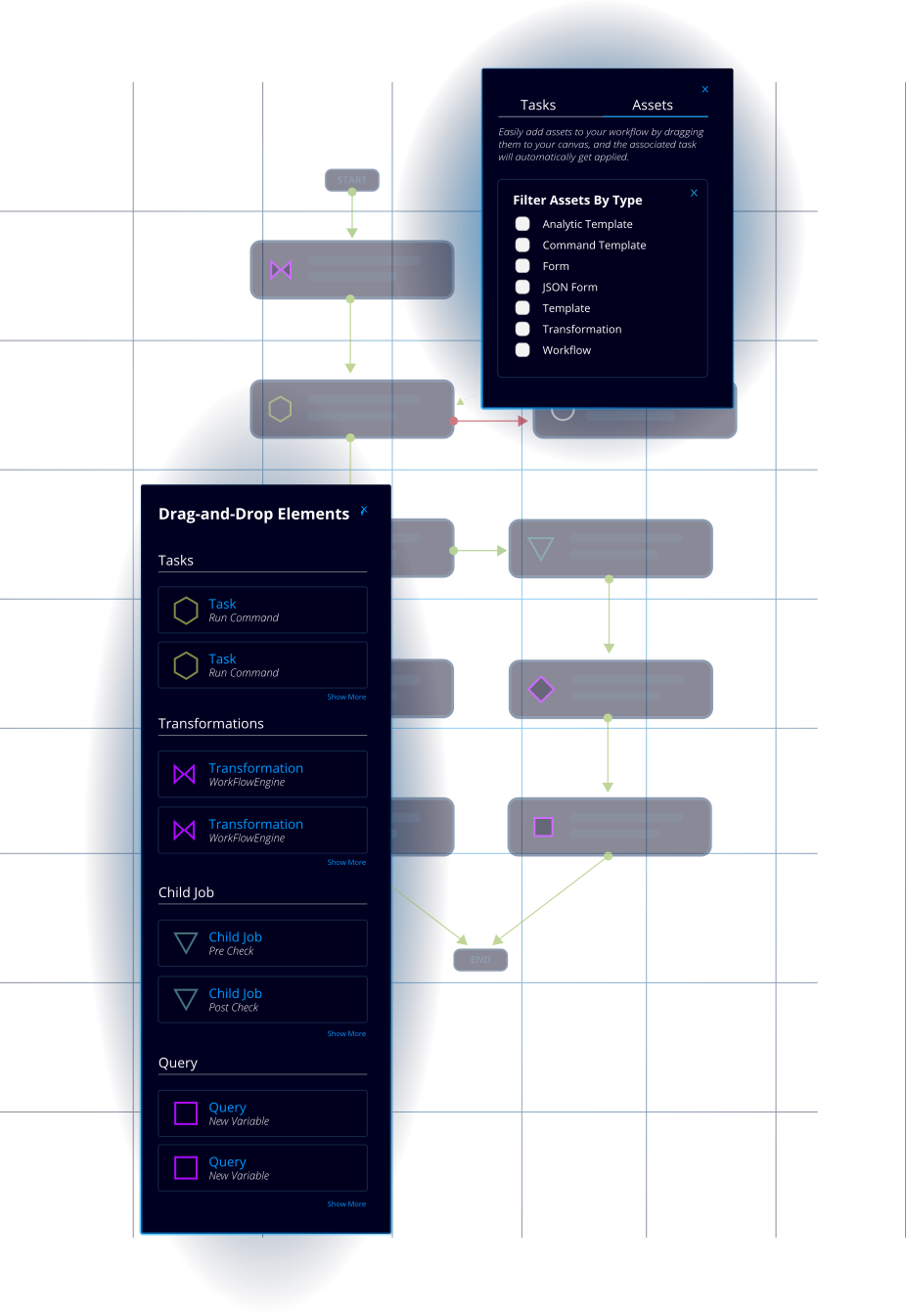
The Workflow Builder is a graphical user interface for arranging and connecting tasks to define operations and maintenance processes. It includes a rich set of pre-built functions for complex logic, including pass, fail, and revert options, and provides a centralized library for building and referencing automations. Source
What are the primary features of the Workflow Builder?
The Workflow Builder includes tasks (automated, manual, operational), transitions (success, failure, error), workflow orchestration, a job scheduler, role-based access control (RBAC), metrics, and actors to define execution context. Source
How does Itential's Workflow Builder simplify automation creation?
Itential's Workflow Builder uses a low-code, drag-and-drop interface, allowing network engineers and IT teams to visually build and manage complex, end-to-end automation workflows without needing extensive coding expertise. This democratizes automation and enables rapid process creation and modification. Source
Where can I find information on Itential's Workflow Builder for orchestration?
You can find details about workflow orchestration capabilities on the Workflow Builder page, which provides an overview of features and use cases.
What is the 'Pre-Built Wizard' and where can I find it?
The Pre-Built Wizard is a Workflow Project that assists in creating pre-built automations. You can learn more and access the repository at the automation page and the wizard repository.
Where can I learn about Itential's Workflow Builder?
You can get a deep dive into the low-code Workflow Builder on the Itential Platform page, which is the central place for building and managing automations.
What technical documentation is available for Workflow Studio?
Itential provides extensive technical documentation, including guides, API references, and release notes at docs.itential.com. Developer tools and API documentation are also available for programmatic interaction and automation support.
How flexible is the deployment of the Itential Platform?
Itential offers significant deployment flexibility to meet your organization's needs. You can learn more about platform architecture and security at this guide.
Features & Capabilities
What features does Itential Workflow Studio offer?
Itential Workflow Studio offers a unified orchestration layer, low-code visual builder, high-code extensibility, agent and app-driven operations, pre- and post-change validation, built-in rollback, multi-system orchestration, reusable assets and templates, self-service publishing, and enterprise governance with policy, approvals, and audit by default.
Does Itential support integration with other tools and platforms?
Yes, Itential supports over 300 pre-built integrations, including ServiceNow, NetBox, Infoblox, GitHub, Selector AIOps, Kentik, Forward Networks, IP Fabric, Red Hat Ansible, Terraform, Slack, Microsoft Teams, Arista Networks, Cisco, F5, and Palo Alto. For a full list, visit the Automation Marketplace.
How does Workflow Studio handle governance and compliance?
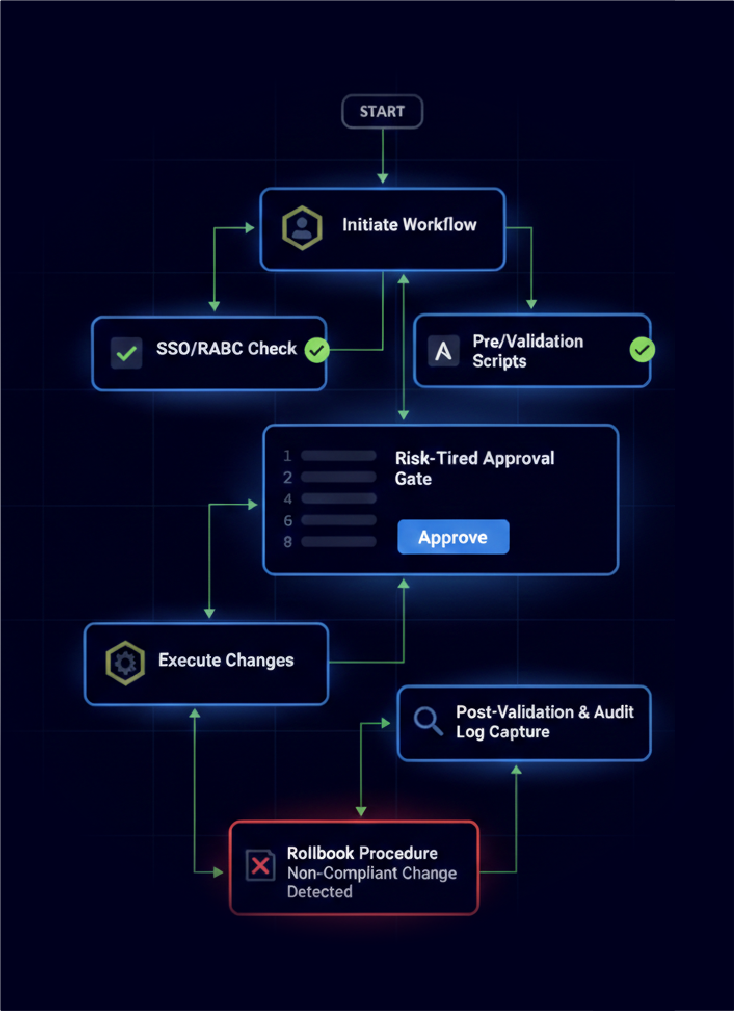
Workflow Studio enforces SSO/RBAC, risk-tiered approvals, pre/post validation, and captures complete audit trails with who/what/when details for compliance and rollback. Guardrails prevent non-compliant changes from reaching production, and approval gates ensure safe execution. Learn more.
What security and compliance certifications does Itential have?
Itential holds SOC 2 Type II Certification, is FIPS 140-2 compliant, and adheres to GDPR and CCPA for data privacy. These certifications ensure high standards of security and compliance for organizations. Learn more.
How does Workflow Studio support auditability?
Every change in Workflow Studio is logged with comprehensive details, including pre/post validation results, timestamps, and approvers, enabling full traceability for audits and compliance verification.
How does Workflow Studio enable self-service operations?
Workflows can be published to self-service catalogs in Operations Manager or ServiceNow, scheduled to run at specific intervals, or triggered via API endpoints. Role-based access ensures only authorized users can execute specific workflows. Learn more.
What is the business impact of using Itential Workflow Studio?
Customers have reported a 10x increase in operational agility, 85% reduction in change-related incidents, 70% reduction in infrastructure operations costs, and service delivery times improved from 45 days to the same day. These outcomes demonstrate robust performance and ROI. Source
How does Workflow Studio help with configuration drift and compliance?
Workflow Studio integrates pre- and post-change checks, drift detection, and compliance validation into every workflow, ensuring device and system states remain aligned with defined baselines and governance standards.
How does Workflow Studio support AI-driven automation?
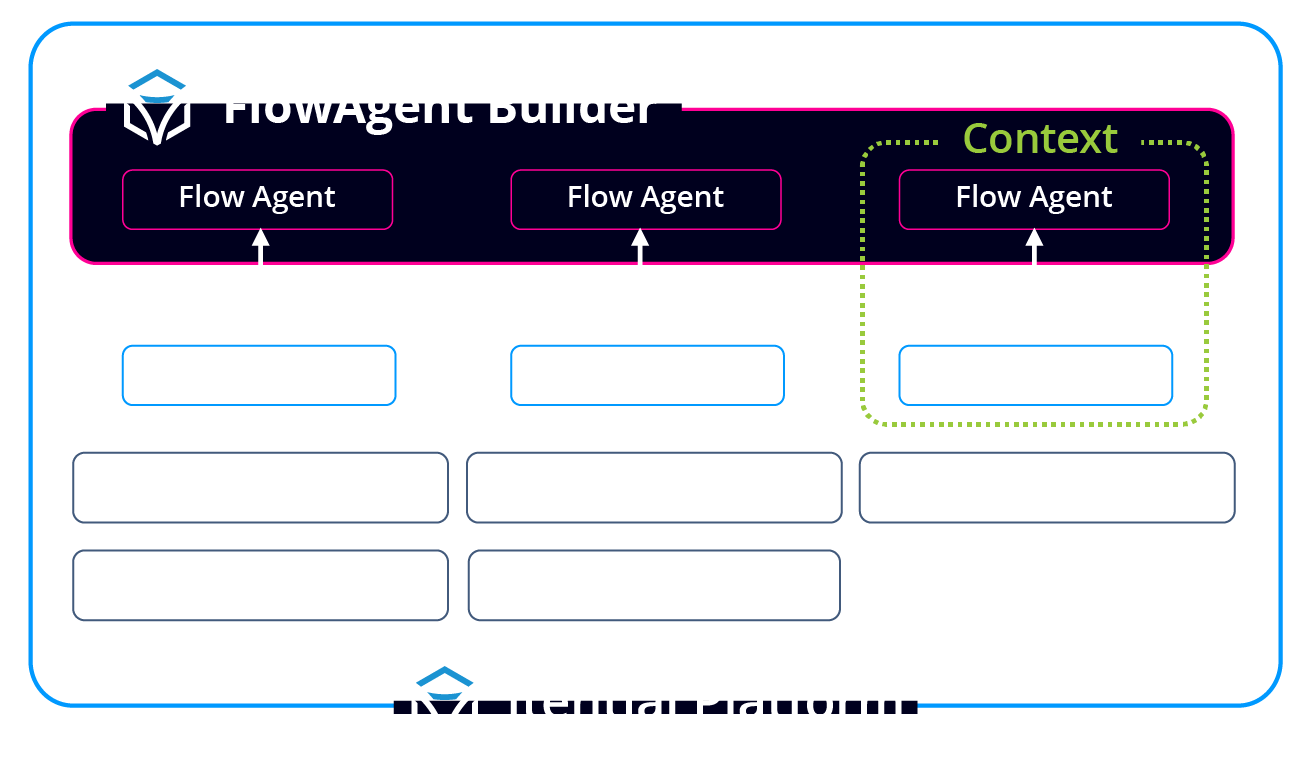
Workflow Studio serves as the orchestration engine for FlowAI agents, allowing them to trigger, build, and execute workflows with full governance. Agents can initiate workflows, reason through multi-step processes, and embed intelligence mid-execution, all while enforcing policy, validation, and auditability. Learn more.
How does Workflow Studio enable modular and reusable automation?
Workflow Studio provides access to 300+ pre-built integrations, workflows, transformations, and templates from the Itential Marketplace. Teams can create reusable templates with TextFSM and Jinja2, and organize assets with version control and access permissions for collaborative automation at scale.
How does Workflow Studio support multi-system orchestration?
Workflow Studio coordinates ITSM, IaC (Terraform/Ansible/Python), cloud APIs, and device CLI actions in the same flow. It uses checkpoints and quality gates to make complex changes predictable and captures logs, diffs, timestamps, and approvers in one place.
How does Workflow Studio handle event-driven automation?
Workflow Studio supports event-driven triggers that respond to telemetry, observability alerts, and AI agent detections in real-time, enabling automated responses to infrastructure events and incidents.
Use Cases & Benefits
Who can benefit from using Itential Workflow Studio?
Itential Workflow Studio is designed for cloud network engineers, NetOps teams, DevOps teams, infrastructure architects, and compliance/SecOps teams across industries such as telecommunications, financial services, healthcare, manufacturing, public sector, utilities, media & entertainment, biotechnology, and energy. Learn more.
What problems does Workflow Studio solve?
Workflow Studio addresses fragmented automation and tool sprawl, manual change execution, configuration drift and non-compliance, multi-domain complexity, inability to scale operations, lack of governance and auditability, and slow adoption of automation due to coding barriers. Learn more.
How easy is it to implement Workflow Studio and get started?
Itential offers a structured onboarding program, a 6-8 week activation program, interactive product tours, training and certification through Itential Academy, comprehensive documentation, and professional services. Most organizations go from contract to production-ready platform with active use cases in 3-6 months, with initial value seen within weeks. Learn more.
What feedback have customers given about Workflow Studio's ease of use?
Customers have praised Itential for its low-code design and intuitive interface. For example, Uzair Khan from Rush University Medical Center highlighted the ability to create impactful automations without developer expertise, and Eric Anderson from Armstrong reported saving over 21,000 hours of manual work. See more testimonials.
How does Workflow Studio help with scaling automation across teams?
Workflow Studio's low-code design, 300+ pre-built integrations, and self-service catalogs let organizations scale operations without increasing headcount. Customers have reported 80-90% reduction in manual effort by leveraging reusable workflows and collaborative tools.
How does Workflow Studio support platform engineering and self-service?
Workflow Studio enables platform engineering by providing standardized, self-service tools for deploying, monitoring, and operating infrastructure. It abstracts complexity, allowing developers and internal customers to consume network services through a simplified, product-like experience. Learn more.
How does Workflow Studio help bridge the gap between cloud and network teams?
Workflow Studio provides a common ground for cloud and network teams to collaborate, leveraging an API-first approach to automate the 'Network of Clouds' and connect various domains to IT systems and platforms. Learn more.
How does Workflow Studio help with platform engineering speed and standardization?
By packaging workflows into a platform, Workflow Studio enables requests that once took days or weeks to be delivered in minutes, accelerating application deployments and reducing friction between teams. Learn more.
How does Workflow Studio help with siloed teams and script-based automation?
Workflow Studio transforms automation from a collection of fragile scripts into a robust, scalable service. It allows teams to productize automations, provide governance and guardrails, and expose them as self-service capabilities via APIs, enabling safe, on-demand consumption by other teams. Learn more.
How does Workflow Studio compare to similar products in the market?
Itential stands out with vendor-agnostic, multi-domain orchestration, low-code accessibility, 300+ pre-built integrations, compliance-native features, AI-ready design, and measurable business impact. It is ideal for enterprises with complex infrastructures, regulated industries, and teams seeking to scale automation without increasing headcount. Learn more.