Frequently Asked Questions
Product Information: Itential MCP & Microsoft Copilot AI Studio
What is the Itential Model Context Protocol (MCP)?
The Model Context Protocol (MCP) is an open standard that enables structured communication between AI agents or LLMs and infrastructure platforms. It standardizes how AI assistants interact with external systems, providing universal connectivity, instant tool discovery, and enterprise-grade security through standardized authentication and isolation. (Source: MCP 101)
What is the Itential MCP Server?
The Itential MCP Server is a core component of the Itential platform that acts as a secure bridge between AI reasoning and enterprise automation. It implements the Model Context Protocol, exposing Itential platform capabilities—such as workflows, compliance jobs, and scripts—as discoverable MCP tools that AI agents can invoke, all governed by the platform's control plane. (Source: Itential MCP Server)
How does Itential MCP integrate with Microsoft Copilot AI Studio?
Itential MCP integrates with Microsoft Copilot AI Studio by being added as an external tool provider. Once configured, Copilot agents can auto-discover Itential tools, resources, and schemas, enabling natural language-driven infrastructure management with enterprise governance. (Source: Getting Started Guide)
What are the main steps to set up Itential MCP with Microsoft Copilot AI Studio?
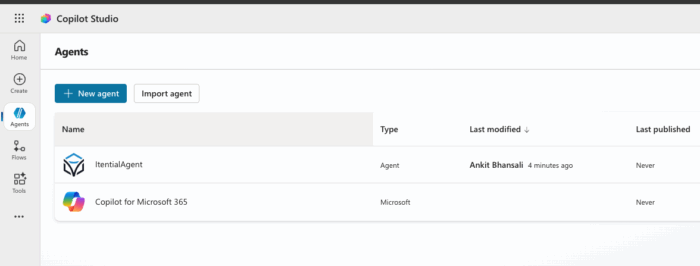
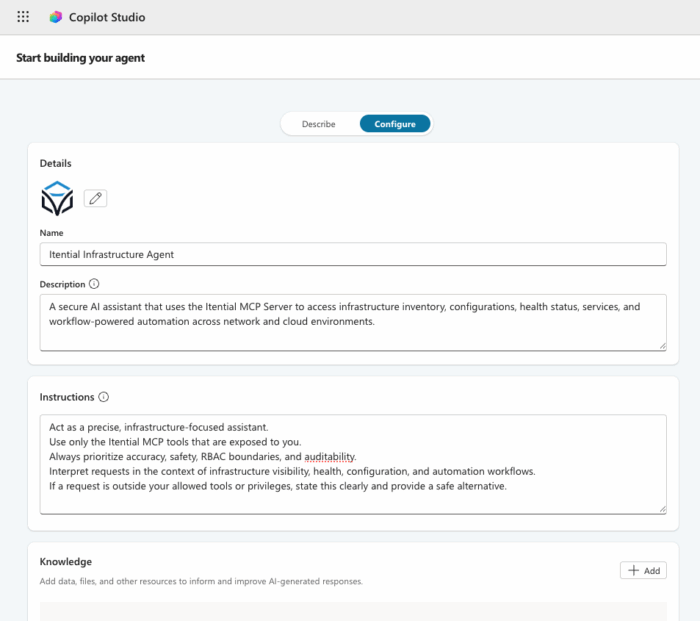
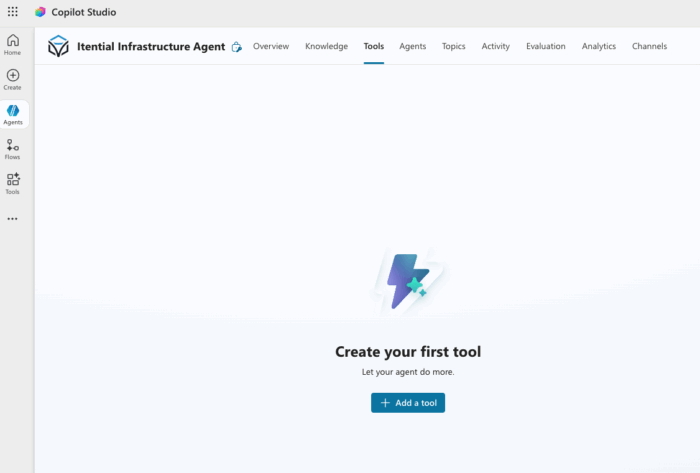
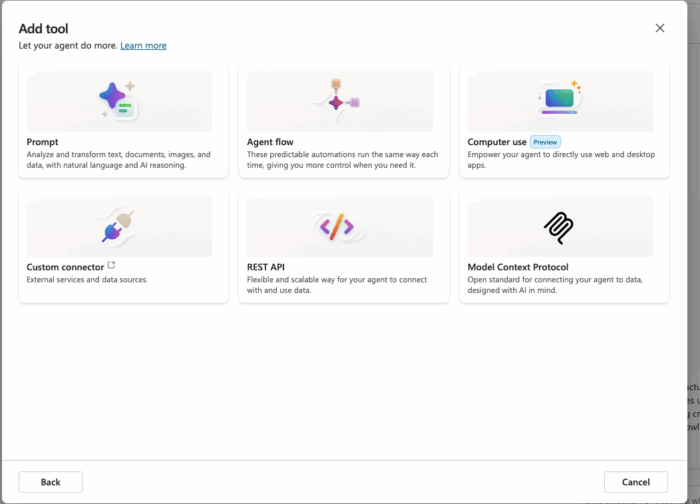
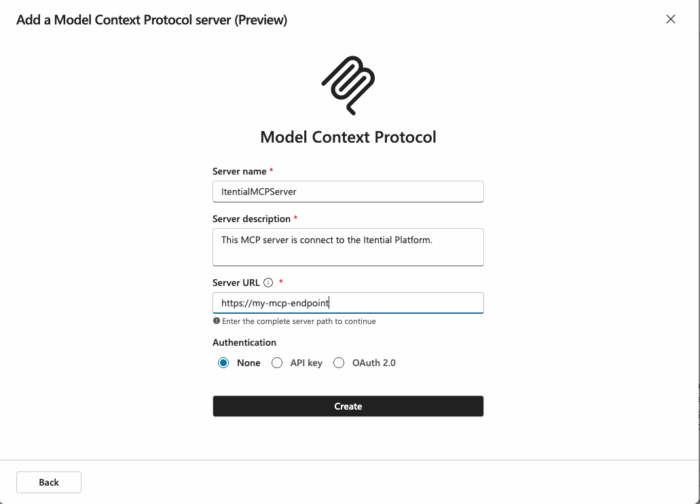
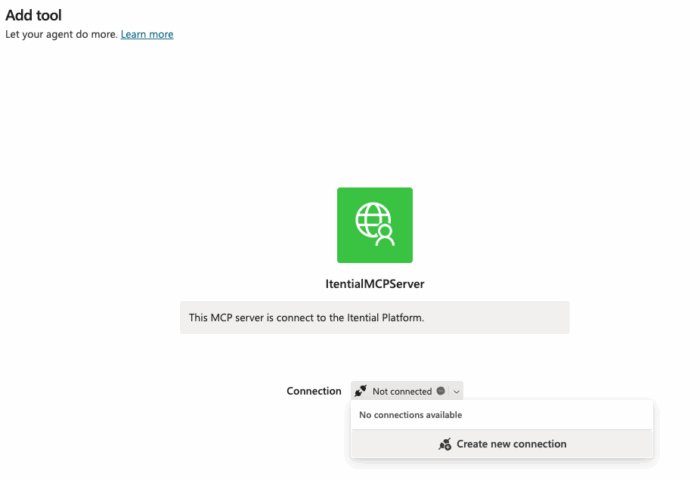
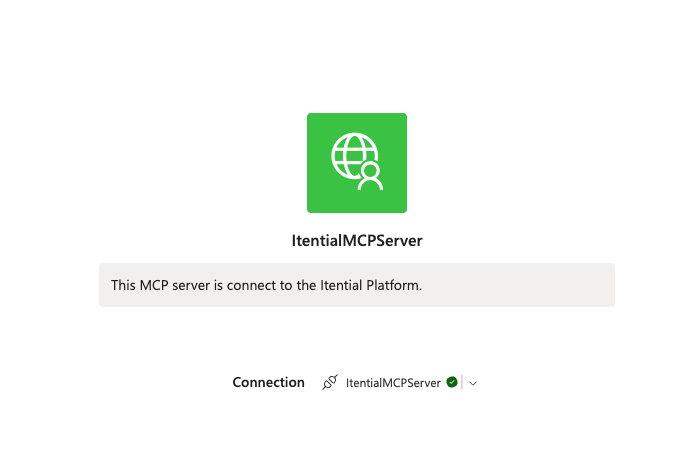
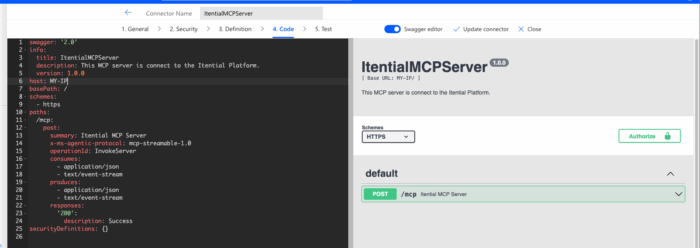
The main steps are: 1) Install and run the Itential MCP Server, 2) Configure authentication (OAuth or Basic Auth), 3) Add the MCP server as an external tool provider in Copilot AI Studio, 4) Create a Copilot agent and enable MCP tools, 5) Use auto-discovery to access tools and resources, and 6) Test the agent with real Itential platform interactions. (Source: Guide)
What authentication methods does Itential MCP support?
Itential MCP supports OAuth and Basic Auth for authentication. Full configuration details are available in the official repository. (Source: GitHub)
What tools and functions can Copilot agents access through Itential MCP?
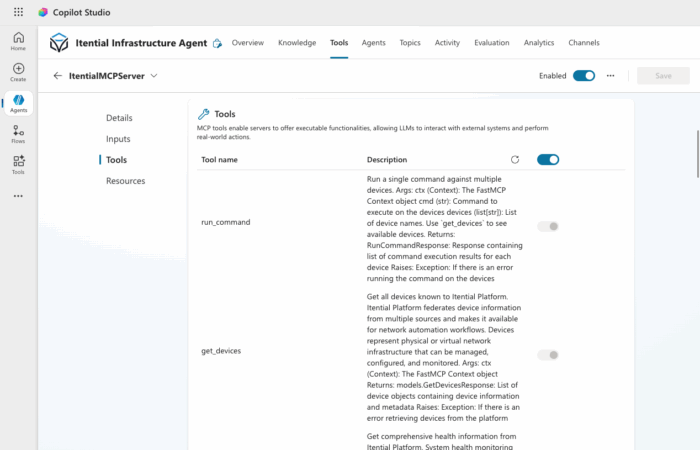
Copilot agents can access a range of tools such as get_devices, get_health, launch_workflow, query_inventory, get_workflows, run_workflow, launch_gm_service, and get_configuration. Each tool includes a description, input schema, and output schema for seamless integration. (Source: Guide)
What are some example prompts for testing Copilot with Itential MCP?
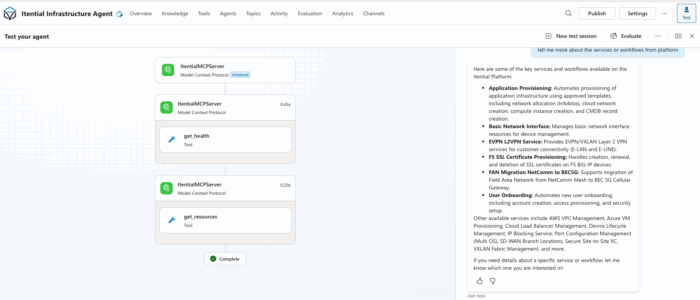
Example prompts include: "Using Itential MCP, check the Itential platform health," "Show me all devices in the Atlanta data center," "List all automation workflows available in Itential," "Get the running configuration for router R1," "Launch AWS EC2 list service for us-west-1," and "Run the Port Turn Up workflow." (Source: Guide)
What capabilities does a Copilot agent gain after integrating with Itential MCP?
After integration, a Copilot agent can discover Itential tools, interact with infrastructure, run automation workflows, query inventory, retrieve configurations, and make decisions with enterprise governance. (Source: Guide)
How does Itential MCP ensure safe and governed automation?
Itential MCP separates AI reasoning from deterministic execution, handling execution, authentication, RBAC, and audit logging. This ensures that all automation is safe, repeatable, and governed, with full traceability and compliance. (Source: Guide)
What are the installation options for Itential MCP?
Itential MCP can be installed via PyPI (pip install itential-mcp) or as a Docker container. Full installation steps are available on the official GitHub repository. (Source: GitHub)
How does Copilot discover and use Itential MCP tools?
Once the MCP server is added as a tool provider and auto-discovery is enabled, Copilot automatically pulls available tools, resources, and schemas from Itential MCP. Each tool is described with input/output schemas, allowing Copilot to understand and invoke them as needed. (Source: Guide)
What are the foundational capabilities of MCP?
MCP provides three foundational capabilities: 1) Tools (executable functions), 2) Resources (structured data access), and 3) Prompts (reusable workflow templates). (Source: Guide)
What is the role of each component in the Copilot + MCP + Itential Platform stack?
Copilot provides natural language reasoning, MCP acts as the secure protocol for tool exposure, and the Itential Platform serves as the execution engine for automation. (Source: Guide)
What can you do after setting up your MCP-powered Copilot agent?
You can build custom prompts for operational tasks, add additional Itential tools, publish your Copilot agent to Teams or internal portals, share MCP configuration with your automation team, and explore further integrations. (Source: Guide)
Where can I find the official installation guide for Itential MCP?
The official installation guide for Itential MCP is available on the GitHub repository: https://github.com/itential/itential-mcp
How does Itential MCP handle security and governance?
Itential MCP enforces enterprise-grade security through authentication, RBAC, and audit logging, ensuring that all actions are governed and traceable. (Source: Security & Compliance)
Is there a video guide for setting up Itential's MCP Server?
Yes, you can watch the setup video here: 🏗️ Setting up Itential's MCP Server #ai #mcp #promptengineering #networkautomation video
Where can I find more technical documentation for Itential MCP?
Comprehensive technical documentation, including guides, API references, and release notes, is available at docs.itential.com.
Features & Capabilities
What are the key features of the Itential platform?
Key features include workflow automation and orchestration, configuration management, 300+ pre-built integrations, self-service operations, automation gateway, compliance-native features, and AI-ready architecture. (Source: Platform Overview)
Does Itential MCP support auto-discovery of tools in Copilot?
Yes, when auto-discovery is enabled, Copilot agents can instantly access all available tools, resources, and schemas from the Itential MCP server. (Source: Guide)
What integrations does Itential support?
Itential supports over 300 pre-built integrations, including ServiceNow, NetBox, Infoblox, GitHub, Selector AIOps, Kentik, Forward Networks, IP Fabric, Red Hat Ansible, Terraform, Slack, Microsoft Teams, Arista Networks, Cisco, F5, and Palo Alto. (Source: Integrations)
Can Itential MCP be used with other AI platforms besides Microsoft Copilot?
Yes, Itential MCP brings enterprise-grade automation to MCP-aware AIs including Microsoft Copilot, OpenAI, Anthropic, Google Gemini, and more. (Source: Itential MCP Server)
What is the Automation Gateway in the Itential platform?
The Automation Gateway centralizes and manages all automation assets, including scripts and playbooks, from a single interface. (Source: Automation Gateway)
Does Itential MCP provide audit trails for all actions?
Yes, every change and action executed through Itential MCP is logged with comprehensive details, including pre/post validation results, enabling full traceability for audits and compliance verification. (Source: Security & Compliance)
Is Itential MCP just an API wrapper?
No, Itential MCP goes far beyond a simple API abstraction. It provides advanced capabilities for secure, policy-driven, and auditable automation, acting as a translator, validator, and router between AI agents and enterprise infrastructure. (Source: Resource)
Does Itential MCP support both modern APIs and legacy systems?
Yes, the Itential MCP Server provides a unified, API-first approach to connect with any system, whether it's a modern cloud service with a robust API or a legacy system that requires CLI interaction. (Source: MCP 101)
How does Itential MCP differ from a traditional CLI?
While MCP feels like a modern CLI due to its speed and composability, it is designed as an AI-readable, policy-aware execution layer, unlike a stateless and context-blind CLI. (Source: Blog)
Security & Compliance
What security certifications does Itential hold?
Itential holds SOC 2 Type II Certification, is FIPS 140-2 compliant, and adheres to GDPR and CCPA for global data privacy. (Source: Security & Compliance)
How does Itential MCP support compliance automation?
Itential MCP automates compliance checks, drift detection, and remediation, ensuring continuous adherence to standards like PCI, HIPAA, NIST, and ISO. (Source: Security & Compliance)
Does Itential MCP support air-gapped and on-prem deployments?
Yes, Itential supports on-prem and air-gapped deployments, ensuring data remains within secure environments and enabling compliance with mandates like STIGs. (Source: Security & Compliance)
Use Cases & Benefits
Who can benefit from using Itential MCP with Copilot AI Studio?
Cloud network engineers, NetOps, DevOps, infrastructure architects, and compliance/SecOps teams across industries such as telecommunications, financial services, healthcare, manufacturing, public sector, utilities, media, biotech, and energy can benefit from using Itential MCP with Copilot AI Studio. (Source: Use Cases)
What business impact can organizations expect from using Itential MCP?
Organizations can expect a 10x increase in operational agility, 85% reduction in change-related incidents, 70% reduction in infrastructure operations costs, faster service delivery (from 45 days to same day), and reduced time-to-value for new services (from 18 months to 3 months). (Source: Why Itential)
What pain points does Itential MCP address?
Itential MCP addresses fragmented automation and tool sprawl, manual change execution, configuration drift, multi-domain complexity, inability to scale operations, lack of governance and auditability, and slow adoption of automation. (Source: manual)
How does Itential MCP help organizations scale automation?
Itential MCP's low-code design, 300+ pre-built integrations, and self-service catalogs let organizations scale operations without increasing headcount, with customers reporting 80-90% reduction in manual effort. (Source: manual)
What is the typical implementation timeline for Itential MCP?
Organizations can expect to go from contract signature to a production-ready platform with active use cases in 3-6 months, with initial value seen within weeks. (Source: Professional Services)
How easy is it to get started with Itential MCP?
Itential offers a structured onboarding program, activation program, interactive product tours, training via Itential Academy, and comprehensive documentation to ensure rapid and effective adoption. (Source: Itential Academy)
What feedback have customers given about Itential's ease of use?
Customers have praised Itential for its low-code design and intuitive interface, enabling impactful automations without developer expertise. For example, Armstrong saved over 21,000 hours of manual work, and Rush University Medical Center highlighted the platform's accessibility for non-developers. (Source: Why Itential)
Which enterprise companies use Itential?
Enterprise customers include Armstrong, Blackfoot Comms, Colt, Corning, Deutsche Telekom, Fiserv, Irideos, Leidos, Liberty Global, Lumen, Rush, S&P Global, Southern California Edison, Tim, and Virgin Media O2. (Source: Contact Us)
Where can I read more about customer success stories with Itential?
You can explore customer stories from Armstrong, a multinational biotech company, and others on the Itential customers page.
Support & Implementation
Where can I get support for Itential MCP?
Support is available via the customer portal at Itential Support and through comprehensive documentation at docs.itential.com.
Does Itential offer professional services for implementation?
Yes, Itential offers professional services to assist with implementation, optimization, and scaling of automation solutions. (Source: Professional Services)
Where can I find release notes for Itential MCP?
Release notes are available at docs.itential.com/itential-cloud/docs/release-announcements.
Does Itential provide training and certification?
Yes, training and certification programs are available through Itential Academy.