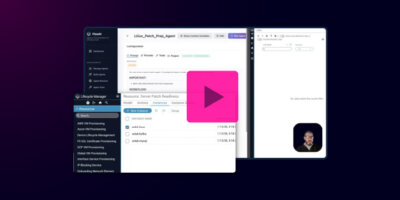


In this demo video, Principal Solutions Engineer, Joksan Flores demonstrates how Itential FlowAI can turn an existing automation workflow (Ansible playbooks + + HTML reporting) into an “agent-enabled” experience that:
- Runs patch compliance checks automatically across a server inventory
- Runs pre-checks on the servers that need patching (disk, memory, etc.)
- Summarizes results for humans (Slack + email HTML)
- Selectively uses the agent only for the parts that benefit from reasoning and summarization
- Keeps execution deterministic by tightly controlling what data is exposed to the agent so the agent’s context controlled
How It Works: From Inventory to Readiness Report in Three Steps
1. Run patch status checks with Ansible.
The workflow logs into servers in inventory, identifies OS type, and checks patch requirements using standard package managers such as APT and Yum.
2. Trigger pre-checks only where patching is needed.
If patching is required, the workflow runs targeted pre-check playbooks for disk, memory, and other prerequisites. If pre-checks fail, the agent will report on it.
3. Deliver clean reporting automatically
The workflow returns only the outputs the agent needs, including:
- the patch report HTML
- the pre-check results
The agent summarizes the outcome in Slack and generates an augmented HTML email report with patch readiness clearly highlighted.
How Itential FlowAI Changes the Game
Deterministic Execution, Agent Intelligence
You don’t hand the agent 10 playbooks and hope for the best.
You expose one deterministic tool and instruct the agent in a fixed execution order.
Controlled Context, Not a Data Dump
The Itential workflow explicitly controls which outputs are passed to the agent using job variables, limiting token use and reducing context pollution risk.
Faster Comms, Better Decisions
Instead of raw logs, stakeholders get:
- a 10-line Slack summary
- an HTML email report with pre-check readiness at the top
All generated automatically from the run output.
Full Traceability in Operations Manager
Every workflow launch is visible as the agent executes tools, enabling operational audit and governance.
Demo Highlights
Itential Platform Capabilities
Workflow-Enabled MCP Tools
expose workflows as tools for safe agent execution.
Automated Readiness Pre-Checks
Run targeted checks only when patching is required.
Slack Notifications with Guardrails
Concise summaries with formatting constraints.
Email Reporting (HTML)
Workflow-generated reports enhanced by the agent.
Operations Manager Traceability
Full run visibility across jobs and tools.
Ansible Execution Control
Chain multiple playbooks together in one workflow/MCP tool.
Video Notes
(So you can skip ahead, if you want.)
00:00 Ansible Patch Playbook Overview
00:41 Automation Gateway Workflow
01:32 Server Inventory Analysis
02:19 FlowAI Agent Integration Strategy
03:27 MCP Tool Configuration
05:04 Linux Patch Agent Design
06:18 5-Step Deterministic Workflow
10:01 Live Agent Patch Check
11:14 HTML Report Augmentation
13:11 Wrap Up & Scaling for EnterpriseView Transcript
Joksan Flores • 00:00
Hi everybody. So I was actually playing around with some playbooks that I have or kind of building and refining some playbooks to do some basic use case for server patching. And I had a playbook or I created a playbook to do some patch checks. And essentially what this will do is it’ll log into all the servers on my inventory. The inventory resides in the repo with the playbook and it’ll log in into all the servers and check if they’re Red Hat or Debian. It’ll use APT, Yum, etc., to go and verify and use the Ansible fax to verify if the server needs patching. So I created a very simple workflow like this one that has that run service.
Joksan Flores • 00:41
It runs that playbook, it does some parsing of the data, and then it creates an HTML. So I’m gonna go ahead and run that real quick because it’s kind of the 1st step on where I started. So this will actually run on the Itential Automation Gateway. It’ll run the playbook itself. It take it, it takes a minute, and then the output of the script will of the playbook will actually go through and have some data to present. So let’s go ahead and look at that. So we’ll have manual tasking here.
Joksan Flores • 01:08
I’m running this workflow straight up from the studio. I’m not exposing it to Operations Manager. I could via form, via schedule, or anything like that. But for now, I’m just kind of doing some testing. So this is kind of what I came up with. And and I vive coded my report. And it gives me okay the the total servers that are in my inventory up to date are one, two knee patching.
Joksan Flores • 01:32
And I get a report on these machines that are in my labs. You know, there’s an Amazon Linux AMA and Ubuntu, and a couple of these need patching. Um, but I was kind of building through the progression of this and saying, okay, what are the things do I want to do? So I created a bunch of other workflows. I got them all here. I’m not gonna walk through all of them. Um, but I got one that does the mock mock of the patching.
Joksan Flores • 01:54
There’s another one that does an entire flow of checking the patch, right? This is the same thing that I was doing here on the 1st workflow that I just showed. It evaluates if any servers need patching. If they do, then it’ll go and actually execute some pre checks and do some disk pre checks, etc. And then if there’s any pre check failures, it’ll cancel it’ll end the job. If there’s none, it’ll actually run the full patch. But I thought, you know what?
Joksan Flores • 02:19
What if we converted this into an agent? So with Flow AI, that’s what I kind of said to do. So I actually took a hybrid of that last big workflow. And this is kind of what I came up with. So I have a workflow here that will actually do partially that portion that we were talking about. So I’m going to move this down here just to make it clearer to implement or to kind of showcase. So I created this workflow, and this workflow will be a tool that I’m going to expose to my Flow AI agent that it can run and execute to kind of show me and tell me what’s going on.
Joksan Flores • 02:52
So I figured I already have the HTML running. I want to probably send it to an email. I want to do some summarization. I probably want to augment that report with some stuff from the rest of the workflow. So what better way to do it with an with an agent? So what this tool will do, right? This is a workflow that will be exposed as an MCP tool to my agent.
Joksan Flores • 03:10
And I already created the agent. I’ll walk through that as well. The tool right now, it runs that same patch check workflow that that playbook that we were talking about. It does the same data parsing. It actually checks what servers need patching. So it does it a little bit out of order. It’ll get the count of the servers.
Joksan Flores • 03:27
So I don’t know, check how many servers need patching. It’ll render that HTML report, and we’re actually going to expose this as a as context to the agent. And the way that we do that is we expose it as a job variable. When that happens, this will actually the workflow will go and check if any servers need patching. If any servers need patching, which we know it we do, right? We have two servers that need patching, we didn’t remediate them. It’ll actually execute the pre checks for this.
Joksan Flores • 03:55
So it’ll actually go to another playbook that will go and check the disk of the server, the memory, and so forth. And then down here, we’re parsing some pre check results and we’re sending them all back to the agent as context as well. So the results of the pre check. Now, the reason why this is important and what I’m kind of going into is I am here designing an MCP tool via workflow and controlling, right? This is all the stuff that I’m saying. Every time I say I’m gonna pass this as context, is because I via workflows here, by controlling the output job variables, I can control what data I provide to my agent. In this case, I’m only providing the patch report HTML and also the parsed pre check results.
Joksan Flores • 04:39
They are already parsed. I’m not giving the agent everything that every single task in this workflow, all the output data, I’m controlling what data I’m giving to it. So now let’s go and look at the agent design itself. Okay, so this is what the agent design is. I got a split screening here because I also have my operations manager. When I execute this agent, I want to go and show actually that there are workflows being launched down here. And we’ll actually go and look at the launches after.
Joksan Flores • 05:04
So my agent’s design right here, it’s called Linux patch pre prep agent. And you’ll see when we go to the executions, there’s been a couple of them because I’ve did some testing. And then there’s the post agent, which is the next step, which will be actually running the patching. So that’ll come later. For now, this guy, it has prompts, provider, tools, zero tools right now, and has a project. So in Itential Flow AI, when you create a project, it’s called Linux Patch Ansible Examples. That is this project right here.
Joksan Flores • 05:32
That means that every single workflow here, including the notification, Slack notification, and the email workflow are all tools that are available to my agent. My prompt looks like this. So it says your Linux server patch agents, complete all the steps. Work with data directly from tool responses. This is very important because we’re working with HTML. Sometimes agents get a little confused and think that we’re dealing with files. So we’re working data with data from the execution from memory.
Joksan Flores • 06:00
And this is my prompt. My prompt to markdown to make it pretty, makes it easier for demos, but you can actually look at this and you can put it in text and it’ll work the same. So we have five steps. The 1st step is run the patch report. Run the patch report and prechecks tool. That is that workflow that we were just discussing, right? It does everything that we needed to do.
Joksan Flores • 06:18
So we’re only going to be executing one tool here. And then we’re going to use a couple other tools for Slack and email. So super super deterministic workflow. Run patch report and prechecks workflow. It’s a super deterministic tool, not subject to interpretation. I’m not giving it 10 playbooks and letting it decide. I’m actually wanting and telling it in what order it needs to run these.
Joksan Flores • 06:39
You can build this in any amount of variation you want, right? I can create, I can pass it the individual playbooks as well. I can give it all the context, I can give a little context. In this case, I just want it to control very much so what happens during that workflow. I can also instruct the agent to do this logic, right? Say, hey, go run this thing. And if you discover that there’s more than one server that needs patching, then go and run this other thing.
Joksan Flores • 07:04
So I could do the same thing. Oops, I just closed that. Let’s go and fix that again. So let’s go open another tab. And we’re gonna split that. And go into operations manager. Okay, so what we’re gonna do is we’re gonna go into manage agents here, and we’re gonna go to Linux Prep Agents, and I’m gonna hide this here.
Joksan Flores • 07:30
And I wanna hold on, let’s not hide it. Let’s look at active jobs, active jobs. And let’s go back here. Okay, so we’re going through this guy. So execute the run patch reports, evaluate the results, and let’s see. Evaluate the results, extract from the response, the response the servers needing patches and the pre-text pass and fail status. So these is the data that I want on my responses on my Slack and on my emails.
Joksan Flores • 08:01
Also send us that step three, send a Slack summary. So I’ll get a Slack notification saying what servers need patches, keep to 10 lines or fewer. Sometimes these LLMs get very happy with the amount of text that they want to send through Slack and things like that, and also in reports, so you have to kind of give it some instruction and guidelines on how to control that. Step four, compose an email. So it’s gonna take there’s a compose patch report HTML. I typically don’t have to do this, I did it just for making sure that it’s very controlled and deterministic. What this will actually do is it’ll say, hey, there’s a patch report HTML variable in your context, which is this one right here, right here, patch report HTML.
Joksan Flores • 08:43
Combine it with some brief pre-check summary data from the other variable in the context, which is this one back here. Pre check results. That way I’m telling the agent, hey, go ahead and augment that HTML a little bit with some of that pre-check data because I didn’t modify. I could have modified my HTML in the workflow. I did. I didn’t want to do it. The AI can do it by itself.
Joksan Flores • 09:06
It’ll do just fine. And then the next step is send an email. Send an email, patch verification report. The bot the subject is going to be this one. I don’t have to control the subject. I want to control it in this case. I can just tell the AI to do its thing.
Joksan Flores • 09:20
You know, I put a timestamp on it, do whatever. And then the body is going to be the HTML. I want the body to be the HTML because I want to see it 1st and foremost. And then after step five succeeds, stop the execution. And my user prompt, it’s simple. Evaluate all host and report on patching status. Because I’m not patching this workflow is already designed to run on its own with no input data.
Joksan Flores • 09:40
I can just tell it in the user prompt I don’t have to pass in any input data. I could run it with input data or not. I could give it a list of hosts, etc. Let’s go ahead without further ado and actually run this thing. I’m gonna go ahead and run it. And essentially what that’s gonna do is I’m gonna kick out the agent. We’re gonna got we gotta have a workflow down here that’s running.
Joksan Flores • 10:01
And we can hide this down here. I can zoom in my workflow. And we can see how my workflow is actually executing the 1st stage here, which will be the run patch and check playbook. Let’s go ahead and let it do that. It did its whole thing. And now it checked. Okay, match servers greater than zero.
Joksan Flores • 10:22
And now it’s going to execute the server pre-checks. So it goes ahead and did the dot. Let’s go back in here. And then now it should be working its way through the rest of the stuff, which is the Slack notification and the emails. Okay, so now that my agent has finished, and it took a little, it took a minute, took 62 seconds. I had to pause it there and actually go and open the Windows. Um, let’s go back over there and I want to show you what it produced.
Joksan Flores • 10:47
So produce a notification saying, okay, I got three servers evaluated, once up to date, two need patching. Here’s the name of the servers. So my Kafka and my MySQL server need patching. They have a certain amount of updates available and so forth. And that’s the summary notification for Slack. And then also, this is the report that it created. So if you look, remember the initial demo that we ran, we had all this down here, right?
Joksan Flores • 11:14
This is the content of that HTML. So that remains super deterministic. My agents using the HTML that I provided as guideline on how to build the rest, but it also added the top, which is prechecks all system pass, three servers, zero, all systems ready for patching operations. So it augmented my HTML in a super deterministic way with the content I had already provided. So that’s that one there. And then if I want to go through all the decision steps here, I got prompts, right? I got my initial prompt that I kind of walked through.
Joksan Flores • 11:43
I got the user prompt. And then I got the logic of the engine. So it’s a whole chain of thought, right? I got all the logging. Execute the Linux server patch workflow to evaluate all the hosts. And here we got that tool call, right? That workflow that we looked at that it ran.
Joksan Flores • 11:56
Here we got all the results from that workflow, including the data that I said that we’re gonna provide, right? It’s got the initiator, which is me, and then it’s also got that patch report HTML that it was to be augmented, and then we also had the pre check results, which is no failures, failed host count zero, and so on, and then a job ID. So if we keep walking down here, it says, okay, I’m gonna evaluate the results. Here’s total servers, server needing patches. Look at that, it’s got a little summary there. Pre check status, all pass, no failure. So now it took that information, it created a Slack notification.
Joksan Flores • 12:29
Here is the tool call to the Slack notification, which happens to be another workflow, and it takes these parameters in as well as the next ones over, composing an HTML. My tool call sent email. And it’s got the big HTML with the email body and also the initiator of that workflow as well. And then the summary for the execution. What I was going to do, I was just kind of playing around with some playbooks, and I thought, hey, why not have an agent do this and actually provide augmented data to my some of the stuff that I have, right? So this is kind of to say if I already have playbooks, if I already have scripts out there that I can put to use, I can just wrap them very, very, very quickly into a simple workflow like this one right here. And maybe it could be even simpler, right?
Joksan Flores • 13:11
I’m kind of got a little fancy here with some of the controls that I’m doing, but it could be even a lot simpler by just virtue of creating a workflow that has the scripts or has the playbooks and exposes the data back. I can just have that data be accessible, my flow AI agent. I can give it extra tools, and now it’s doing all those things for me, right? It’s making all those decisions of when and where to call the email tool, the Slack tool, and so on. Like I said, this is just the prep agent or the prerequisite agent. I can do this at scale for 50, 100 agents, 100 hosts, and create some of this data reports. I’m controlling a lot of the data that I’m passing.
Joksan Flores • 13:50
So my token count can be even further limited. And if I needed to limit this further because I had too much data coming back, I could just go back ahead and clean that HTML report even further. But the reason the thing to say here is that I can just take all this tooling and make super meaningful use cases with it. This is the prep agent for now. The next one’s going to be okay. Now that we’re doing all the prep and all the assessment, how do we actually use an agent to actually patch those servers and go and execute the proper updates? Thanks for tuning in.