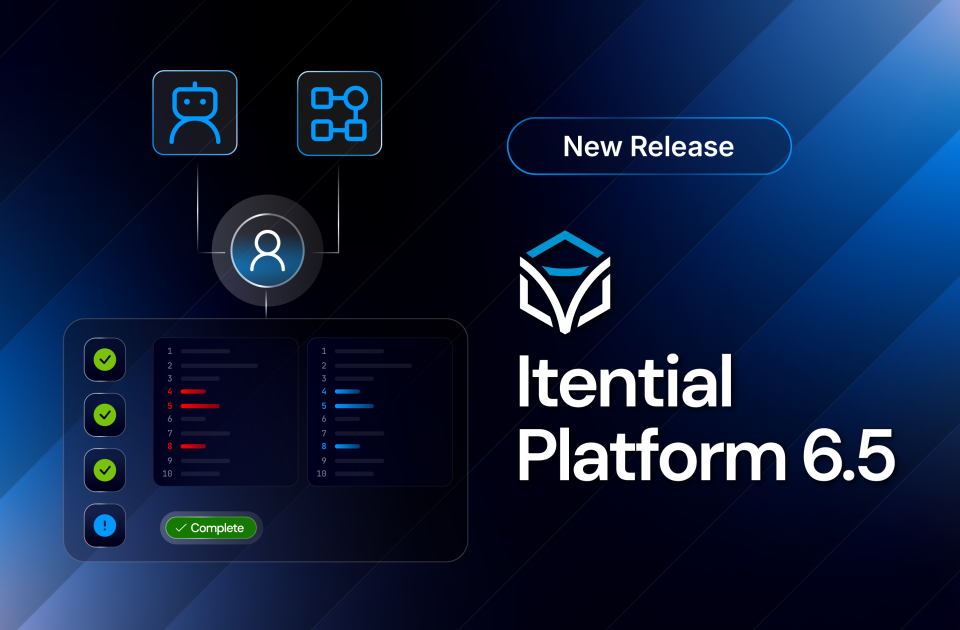
Open a task and you get the full context to act: a work item header, a horizontal timeline of every manual task in the job (completed and active), and the current decision front and center. Completed steps show who handled them and when. Finish a task, and if the workflow produces the next one, the view updates on its own. No trip back to the queue. Work Center also introduces Quick Form, a new manual task type that renders any JSON array as an interactive table for structured, per-row operator input.
One detail worth calling out: Work Center is included with Platform 6.5 for every customer. A FlowAI purchase is not required. Whether or not you’re running agents yet, human-in-the-loop workflows finally have a real home.
Explore the documentation on Work Center →
What Else Shipped in Platform 6.5 & Itential Gateway 5.5
Platform 6.5 and Itential Gateway 5.5 also deliver a set of capabilities aimed at execution flexibility, security architecture, and operational integration.
Platform 6.5
Gateway Manager DB Import & Export
Gateway Manager 1.1.1 exposes Itential Gateway 5 database import and export as API-callable methods, available through the Itential Platform API, workflow tasks, or the Gateway Manager UI. Teams can trigger configuration imports and exports programmatically, without embedding iagctl in their pipelines. Both JSON and YAML are supported, and Git-sourced imports are available through the Platform API.
Async Task Support
The Workflow Engine now supports a new async task type. Long-running external systems can call back to the Workflow Engine on completion, instead of forcing a workflow to block or poll while it waits. Cleaner orchestration for the integrations that don’t finish on your schedule.
Compliance Plan Events
Configuration Manager now emits start and complete events for Compliance Plans, consistent with Lifecycle Manager Resource Actions. External systems can trigger workflows off Compliance Plan execution directly, without relying on job events.
Cisco NSO 6.7 Support
Platform 6.5 adds compatibility with Cisco NSO 6.7, including support for new commit parameters and updated version detection. One migration note: teams moving to NSO 6.7 that use doProvision with the legacy flags-based options format will need to update to the new structured object format. Details are in the release notes.
Read the Itential Platform 6.5 release notes →
Itential Gateway 5.5
External Secrets
Itential Gateway 5.5 retrieves credentials at runtime from external secrets management systems, and never stores the resolved value in the Gateway database or returns it to the platform. Supported providers include HashiCorp Vault (KV Secrets Engine v2), CyberArk CCP, and custom plugins. The new $GatewaySecret variable reference lets teams use externally managed credentials across Inventory Manager device credentials, Run Code tasks, Python service decorators, and Gateway-executed integrations. Secrets stay where they live.
FlowAI Tool Execution
Itential Gateway 5.5 adds support for FlowAI tool execution, letting agents invoke Gateway services as tools directly from FlowAgent Builder. This is the runtime path that turns an agent’s decision into action on real infrastructure.
Read the Itential Gateway 5.5 release notes →
From First Agent to Full Production
The headline of Platform 6.5 is FlowAI. But the shape of the release says something bigger about where the platform is going.
FlowAI brings agents into production under governance. Work Center gives the humans in the loop a real place to work. External Secrets meets enterprise security teams where their credentials already live. Every piece assumes the same thing: that AI and people operate the same infrastructure, through the same controls, with the same audit trail behind every action.
That’s what agentic infrastructure operations looks like when it’s built for production, not a demo. From your first agent to full production operations, governed by default.
Platform 6.5, Itential Gateway 5.5, and Gateway Manager 1.1.1 are generally available as of July 1, 2026. FlowAI requires a separate purchase and Platform 6.5 or later. For the full technical release notes and upgrade guide, visit docs.itential.com. Questions? Reach out to your CSM or [email protected].


 Build Build agents & workflows visually, with AI, or bring your own.
 Integrate Connect every system, tool, agent, & AI in your stack.
 Execute Execution for agentic & deterministic operations.
 Secure & Govern Govern every action with built-in RBAC, audit & approval gates.
 Operate Self-service operations & real-time visibility.









 Agentic Operations Connect AI to infrastructure for trusted, automated actions.
 Infrastructure Modernization Transform legacy networks into modern, AI-ready infrastructure.
 Infrastructure as a Product Deliver network and infrastructure services on demand - self service, governed, & consumed like cloud.
 Hybrid & Multi-Cloud Orchestration Unify hybrid & multi-cloud infrastructure through agentic orchestration.
 Governed Change Management Execute every infrastructure change with pre/post validation, audit evidence, & rollback, human or AI-initiated.